Most name pickers do one thing: spin a wheel. SpinAName does that too, but it also has four other modes that are genuinely different from each other. Not just different skins — different experiences with different pacing, different levels of suspense, and different reactions from the people watching.
This post covers how those five modes actually get used, with a focus on two groups who get the most out of them: teachers and streamers. But even if you're neither, there's probably a mode in here that fits whatever you're trying to do.
For Teachers: There's More Than the Wheel
The wheel works. It's been working in classrooms for years, and there's nothing wrong with it. But after a few weeks, it's just a wheel. Students stop reacting to it. Here's what happens when you swap it out.
Mystery Cards — The Name-Flip Game
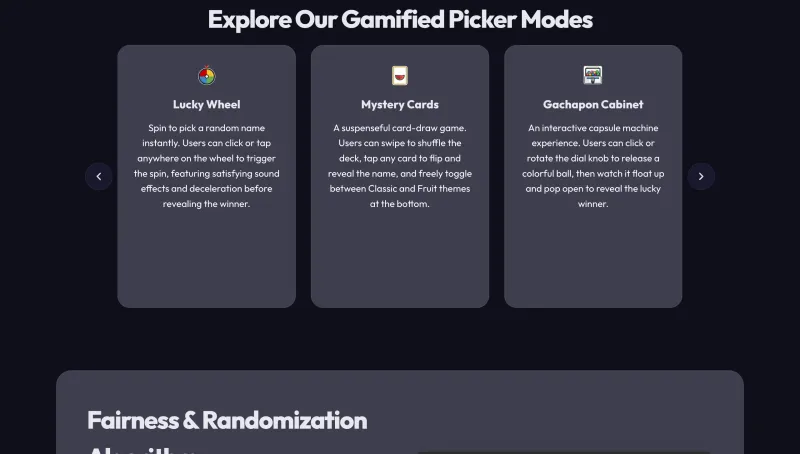
Mystery Cards turns your class list into a deck of face-down cards. Students tap a card to flip it and see whose name is underneath. You can also drag across several cards at once to reveal multiple names quickly, which is useful for group assignments where you want to show the whole setup in one go.
What makes it work in class is the pause before the reveal. The card is sitting there, face down, and for a second everyone's holding their breath wondering if it's them. That tiny moment of suspense keeps the room more alert than a wheel spin does, because the wheel result feels instant. The card flip feels like a choice.
There are two deck themes — a standard playing card style and a fruit theme. The fruit one consistently gets a better reaction from younger students.
Gachapon — The One Kids Actually Ask For Again
If you teach elementary school, you've probably had a student ask if you can use 'the gacha one' again. That's Gachapon. You rotate the dial, a colorful ball drops out of the machine, and it slowly opens to reveal the name inside.
The animation is longer than a wheel spin on purpose. It gives the class time to build anticipation. Classes using Gachapon tend to go noticeably quiet right before the ball opens — and if you've ever stood in front of 30 students, you know that kind of quiet is rare and worth something.
Gachapon also works well for classroom rewards. Spin the machine to pick who gets a small prize, a homework pass, extra credit — whatever you're handing out. The reveal feels more ceremonial than a wheel result, which makes the winner feel like they actually won something.
Comedy Race — For Review Days
In Comedy Race, everyone's name races across the screen as egg runner characters across one of four map themes: Meadow, Volcano, Antarctic, or Galaxy. It sounds silly. It is silly. And it completely changes the energy of a review session.
The way most teachers use it: split the class into two teams and run the race to determine which side gets to answer the review question first. Students who are normally checked out during review suddenly care a lot about whether their character wins. The content hasn't changed, but the format has, and that's enough.
Scratch Ticket — For Moments That Should Feel Special
Scratch Ticket is slower than the other modes. You browse a 3D carousel of tickets, pick one, and scratch off the silver layer to reveal the name underneath. The pacing is the whole point.
For end-of-class prize draws, it turns a random selection into a moment. Instead of a wheel spin and an instant result, you've got a ticket being chosen, a scratch happening, a name being uncovered. Students remember that. And the winner feels like they discovered something, even though it was random.
For Streamers: Give Your Audience Something to Watch
Streamers have a different problem than teachers. They need to keep people in the stream, and they need to give chat something to react to. A tool that announces a winner is fine. A tool that makes the draw itself part of the show is better.
Comedy Race for Giveaways
Load 30 names onto the race track and let it run during a giveaway, and chat tends to lose its mind. People type their own names, cheer when they see themselves on screen, and complain loudly when their character trips. The race lasts long enough to build actual tension. And because you can run it multiple times for different prizes in the same stream, the format stays interesting across several rounds.
This works better for live giveaways than a wheel spin because there's something to watch, not just a result to read. The wheel gives you a winner in a few seconds. The race gives you a full minute of entertainment before the winner is confirmed.
Scratch Ticket for High-Value Prizes
When you're giving away something significant — a game key, merchandise, a subscription — Scratch Ticket makes the moment feel bigger. The winner doesn't just get selected; they get discovered. Their name is sitting there under the silver layer the whole time. The scratch just reveals what was already there.
Chat tends to react more to a slow reveal than an instant one. The moment the name starts to appear under the scratch is when the reactions come flooding in, and Scratch Ticket gives you more of that moment than any other mode.
Gachapon for Regular Draws
Streamers who do regular giveaways — weekly, every stream, whatever the cadence — often settle on Gachapon as their default. It's faster than a race but more visual than a wheel. The sequence of dial spin, ball drop, slow reveal gives chat time to react before the winner is confirmed. And it looks good on camera, which matters when the draw is visible on stream.
If you're adding it as a browser source overlay in OBS, Gachapon reads clearly even on a cluttered screen. The ball is big, the animation is distinct, and the result is hard to miss.
The Wheel + QR Session: When the Audience Enters Themselves
For streams where you want viewers to enter the draw themselves, the wheel paired with the QR session feature is still the most practical setup. Viewers scan a QR code on your stream, submit their name, and it shows up in the pool in real time. No copying comments. No manual entry. You spin when you're ready, and everyone who's still watching is in the draw.
The QR code can be shown as a browser source overlay in OBS, which means you can keep it on screen during a waiting period without interrupting whatever else is happening on stream.
For Everyone Else
Not a teacher, not a streamer? SpinAName also handles the small stuff: picking a restaurant when nobody can agree, deciding whose turn it is for something nobody wants to do, settling any group argument that's gone on too long.
For those situations, the wheel is usually the right call. It's fast, the result is obvious, and it's hard to argue with. Sometimes that's all you need — something that makes the decision for you without anyone feeling like they got outvoted.
All five modes are free and you don't need an account. Open the site, paste your list, pick the mode that fits, and go.