Getting everyone's name into a draw while they're all sitting in the same room is usually the awkward part. Someone has to collect them manually, type them in, and hope they didn't miss anyone. The QR Session on SpinAName fixes that. You open a session directly from the home page, people scan a QR code with their phones, and their names land in your draw automatically — no app to install, no sign-up required.
This is the built-in live name picker for in-person use.
Step 1 — Open QR Session from the Home Page
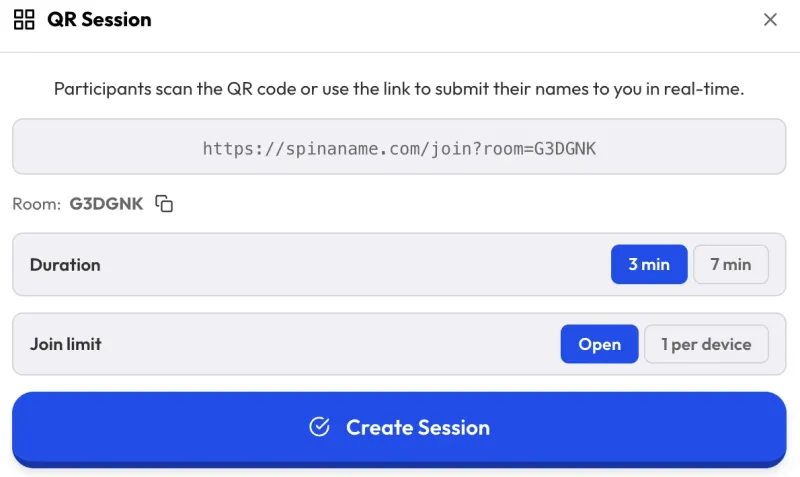
On SpinAName, click the QR Session button on the home page. A setup panel opens before anything goes live, so you can configure the session first.
Step 2 — Set Duration and Join Limit
Duration — choose how long the join window stays open. Pick a shorter window for a quick activity or a longer one when you have a large group.
Join Limit controls whether one device can submit more than once:
- Open — anyone can submit multiple times. Good for polls or when multiple entries per person are fine.
- 1 per device — each phone or computer can only submit one name. Use this for fair raffles or draws where each person should only enter once.
Step 3 — Share the QR Code
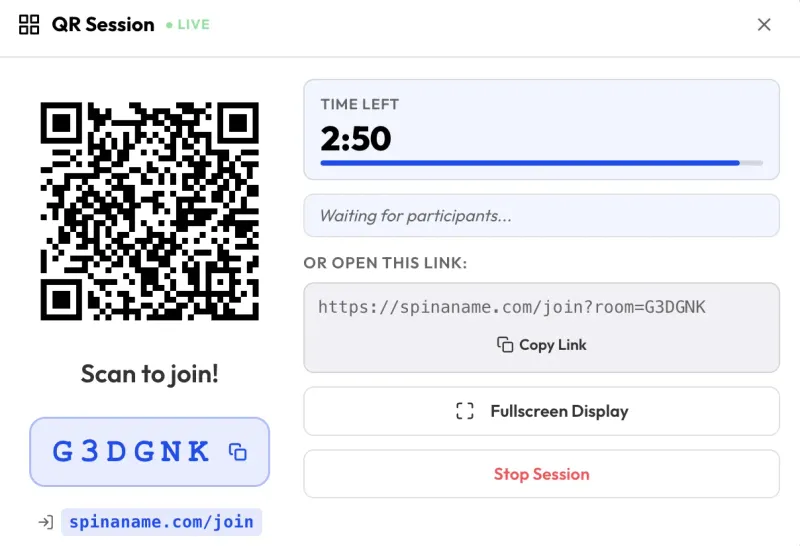
The SpinAName QR session goes live immediately. You will see a QR code — project it on screen or share your screen so people can scan it. There is also a Room Code (like A3K7FX) for anyone who cannot scan: they go to spinaname.com/join and type the code manually.
A countdown timer shows how much time is left in the session. As people join, their names appear in real time on the right side of the panel.
Fullscreen Display for Projectors
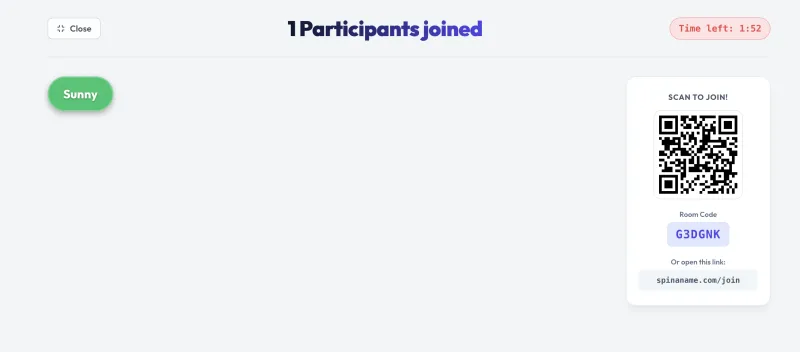
Press Fullscreen Display to show a clean board on the projector. It shows the QR code, room code, countdown, and a live grid of everyone who has already joined. This is useful in classrooms or events where you want the whole room to see who is in the draw and how much time is left.
Step 4 — Spin When Ready
When the timer runs out or you click Stop Session, the modal closes. All the names that came in are already loaded into your SpinAName list. Spin with any game mode — wheel, cards, gacha, race, or scratch ticket.
What Participants Can Submit
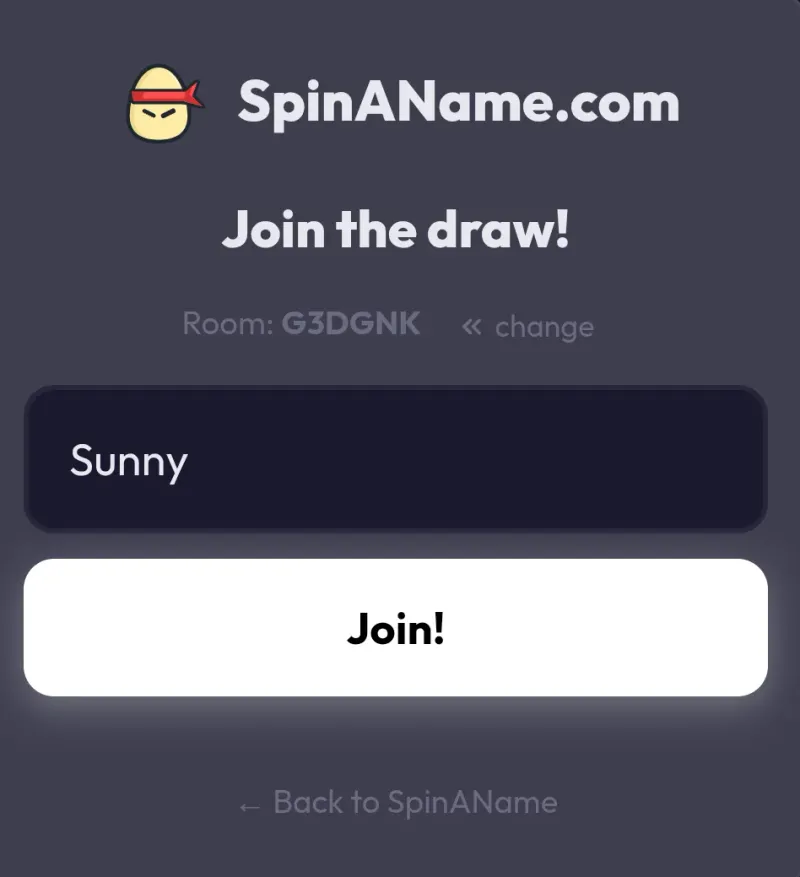
When joining through QR Session, participants submit their name as text. The live name picker collects text entries only — there is no option for joiners to upload images from their device.
If you want to include images in your draw, you can add those separately to your list after the session ends. See how the Random Image Picker works to add photos as standalone entries alongside your name entries.
When to Use QR Session
- Classroom — students scan in and you pick who answers next. No bias, no repeated calls.
- Team meeting — randomly assign tasks or presentation order live.
- Raffle or giveaway — set Join Limit to "1 per device" so each person only enters once.
- Party game — everyone joins from their phone, you spin on the big screen.
Tips
- Project the fullscreen board so the room can watch names appear as people join — it builds anticipation before the spin.
- The room code works as a backup for anyone who cannot scan (older phones, bad camera).
- You do not need to wait for the timer to run out. Stop the session as soon as everyone has joined.
- Names collected through QR Session are added directly to your existing list on SpinAName — anything already in the list stays there.