The moment a winner gets picked matters just as much as the selection itself. When a name appears on screen in an instant, the reaction in the room tends to be flat. There is no buildup, no anticipation, and no moment that anyone is going to remember.
SpinAName's Scratch Ticket mode is built around that reveal. Instead of a result appearing instantly, a lottery-style scratch card hides the winner under a colorful coat. You — or someone in the room — scratches away the surface to uncover who was selected. The name was already chosen the moment you picked up the ticket. The scratch is just the reveal.
Here is a full walkthrough of how the mode works and when to use it.
Choose Your Scratch Ticket
Before any scratching happens, you pick a ticket. SpinAName's Scratch Ticket screen opens with a 3D carousel of eight themed lottery tickets, each one inspired by a different fruit:
- 🍉 Watermelon Slice
- 🍊 Orange Zest
- 🥭 Sweet Mango
- 🥝 Kiwi Fresh
- 🍇 Grape Soda
- 🐉 Dragonfruit Pop
- 🫐 Blueberry Blast
- 🍇 Blackberry Night
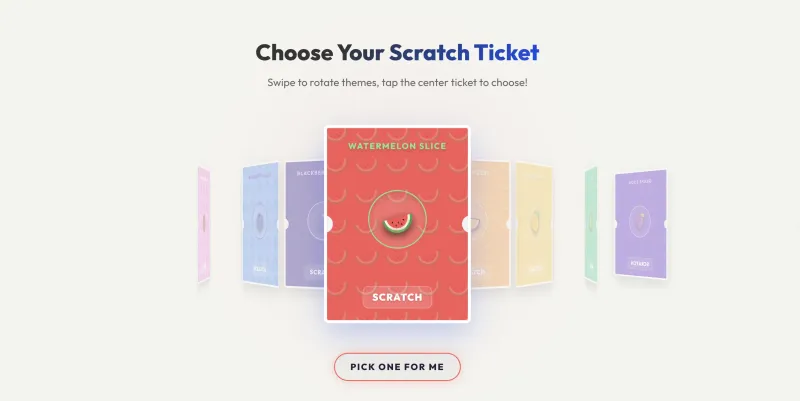
Swipe left or right on mobile, use the arrow keys on desktop, or click the navigation arrows to rotate through the options. When the ticket you want is in the center position, tap or click it to lock it in.
If you would rather not choose, the "Pick one for me!" button runs an animated deceleration spin through the carousel and lands on a random ticket automatically.
The random draw happens the instant you confirm your ticket. The winner is decided, but hidden. All the scratch does is reveal what has already been determined.
Scratch to Reveal the Winner
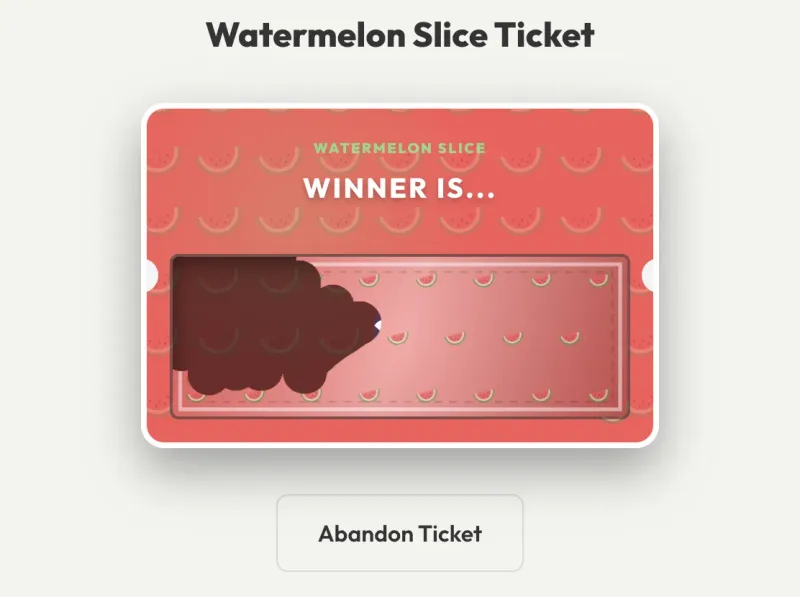
After you select a ticket, it zooms in and flips into the scratching screen. The winner's name sits hidden under a colorful scratch coat — a gradient layer decorated with tiny fruit icons matching your chosen theme.
Use your finger (on a touchscreen) or your mouse cursor (on desktop) to scratch across the surface. The coat erases progressively, just like a real lottery scratch card.
Once you have cleared enough of the name area — around 70% — SpinAName detects the reveal automatically and clears the remaining coat with a sparkle effect.
The Winner is Revealed
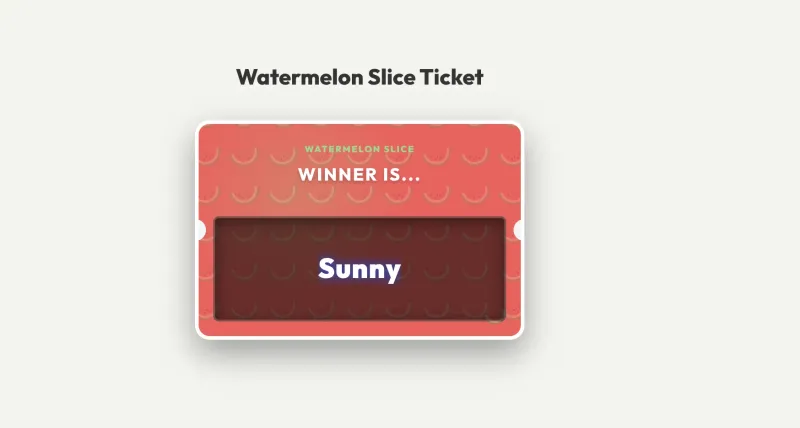
When the coat clears, the winner's name appears in full and a winner modal opens over the screen. The result is added to your session's winner history automatically.
From the winner modal, you can share the result or close it to reset the board and run another draw.
When to Use Scratch Ticket Mode
In a classroom: Instead of simply calling on a student by spinning a wheel, hand the experience over to the class. Let the selected student — or a volunteer — walk up and scratch the ticket on the projector screen. The act of scratching makes the moment interactive rather than passive. For more ideas on using random pickers in teaching, see how teachers use random name pickers in class.
For giveaways and events: Scratch Ticket mode adds ceremony to a winner announcement. Rather than reading out a name from a list, you scratch a ticket live in front of your audience. The result feels earned rather than arbitrary — even if the selection was entirely random.
At team meetings: Deciding who gives the first update, who takes on a new task, or who buys coffee does not need to be a negotiation. A quick scratch ticket adds a bit of theater to something that would otherwise be forgettable.
A Few Things Worth Knowing
Image entries work too. If you have added photos alongside names, the scratch ticket will reveal the image under the coat rather than just text. The same scratch mechanic applies.
You can scratch on any device. Touch scratching works on phones and tablets. Mouse scratching works on any desktop or laptop browser. No app is required.
Scratch Ticket is one of six modes. If you want to compare how each mode works and which contexts they suit best, the mode comparison guide puts the main ones side by side.
Add your names to the input, switch to Scratch Ticket mode using the top navigation, and select a ticket. The rest is just scratching.